
The Dice Treasures has an excellent 24 minute video SETUP GUIDE for Rogue Angels. This video (with text below it) shows how to setup the game board, how to set up your characters, how to set up enemies. It explains what is found on your character sheets, action cards, dice, enemy behavior cards, damage cards and the game board.
You can watch the full video (viewer and link below), but also (if you are like me) you will find a text article below the video window that provides the same information including time stamps to where the information is in the video!
Video first (text below it):
Here is a text based version (along with some added text from Len) with time stamps so you can watch it in the video for a visual aspect:
Overview
- 1:05 – The Game Board. The map number (on the bottom left corner of the map page) is specified in the Mission Briefing or Mission Update
- 1:20 – Character Sheets. You must have at least two, but he recommends taking four (more fun). These also can be referred to as your “heroes”.

- 1:40 – Standees. Get out the standee for each character that will be in the game. Note that the final game will let you choose to use a miniature for your hero if you wish.
- 1:55 – Action Cards. Each character begins with seven action cards (2 standard, 5 unique), but you might gain additional cards during gameplay.
- 2:10 – Enemy Behavior Cards. These are the bigger cards. They determine how the enemies will behave, move, interact and attack. The Mission Brief tells you which Enemy Behavior Card to use.
- 2:45 – Damage Cards. First your shields protect your character. When you have no shields, you take damage… a damage card which goes on your cool down track.
- 3:10 – Focus & Shields. Place tracking tokens on each character sheet for shields and focus at the full amount.
- 3:30 – Spaceship Map. Some missions include the spaceship. There is a map for the spaceship that shows where the walls are and where you can move. The Mission Brief or Mission Update will tell you when to use it and where to place it (usually on one of the two sides of the main game board map).
Character Sheets
- 4:05 – Close look at Character Sheets. There is a portrait of the character at the top left, followed by the character’s name. The character’s class is on the left side of the portrait. Below the Character’s name is their special abilities (these are important). Some abilities can be performed once per turn, others are once per mission.
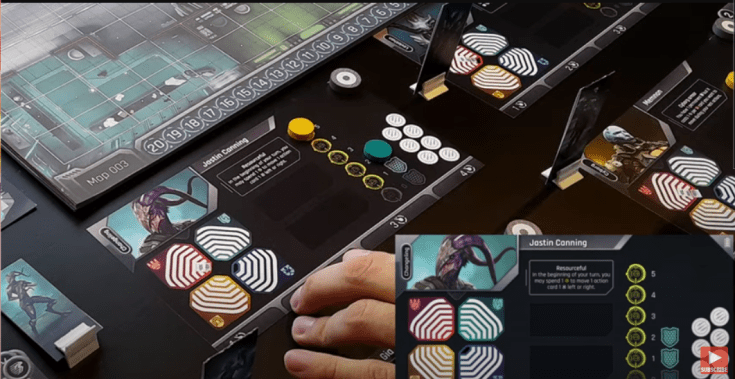
- 4:40 – Focus. The yellow circles are where you track how much you have. You can reroll 1 die by using 1 focus. Some characters may use their focus for other things as well.
- 4:50 – Shields. 1 shield will block 1 incoming damage.
- 5:00 – Scars (far right side). During a mission a character might receive a scar. These typically are “bad” but sometimes they are beneficial (example: Gia gains one extra personality token at the beginning of a mission).
- 5:37 – Activation Token (top right corner). Use this token to indicate when this character has taken their turn (or not).
- 5:45 – Cool down track (bottom of character sheet). This is where you place your action cards as you play them. Damage cards also go on this cool down track.
Legacy Folder
- 5:54 – Legacy Folder. Each character has a legacy folder (four pages in the prototype, but will be 12 pages in the final game).
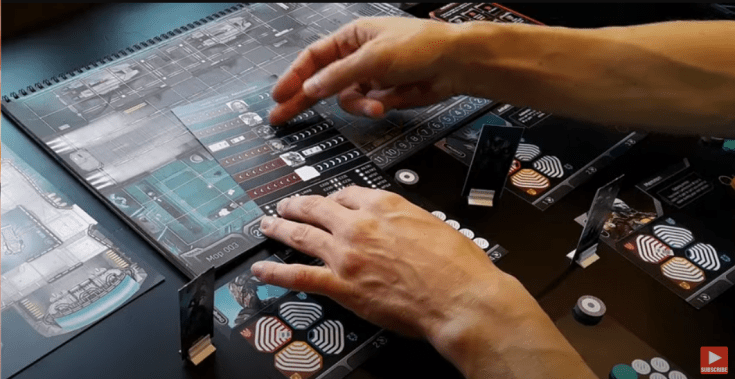
- 5:58 – Relationships. One page is used to track relationships which change based on your choices made during the campaign.
- 6:10 – Sticker Sheet. These are given as rewards during a mission and provide boost actions for action cards (the final game will have stickers, but it is only printed on the page for the prototype).
- 6:25 – Back story. There is a background story for the character.
Action Cards
- 6:30 – Action Cards. Top left corner is the cool down cost. Next is the title of the card. The action “type” is in the top right corner. An image for the card is at the top followed by an action description (what you can do with the card). Between them is a dice indicator that tells you how many dice you may roll when using this card (zero means you cannot roll a die with that card). Results from the dice are added to the action card.
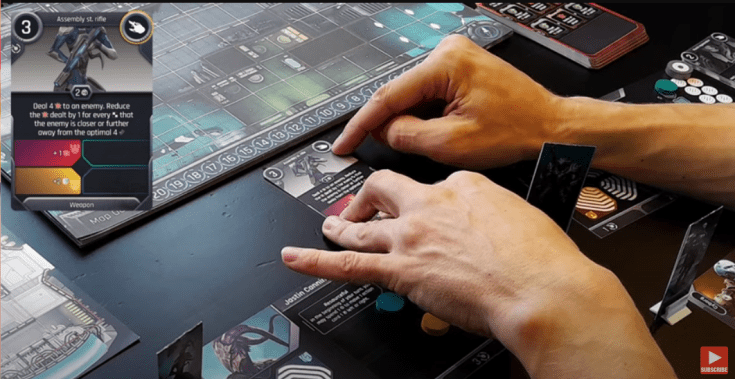
- 7:30 – Boosts. Four quadrant boosts that correspond to the personality traits quadrants on the character sheet. At the beginning of a mission a token is placed on each quadrant for each colored in mark. Example, an action card might have a boost to add one damage when the card is used. The boost is only available if you have and use a token to enable it.
- 8:20 – Designation. The very bottom of the card is the designation or category of the card (such as weapon, gear, or ability).
Dice
- 8:25 – Dice. Dice will be used frequently. The prototype included white dice while the final game likely will have black dice. Also note that the icon for “move” has changed to a foot :)
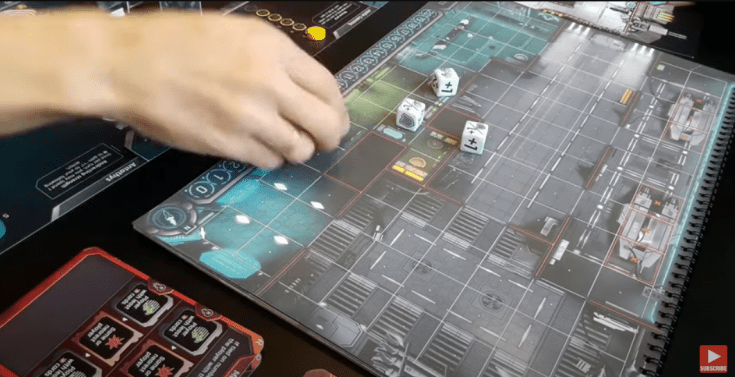
To illustrate the six different faces on a die, I will show the white prototype icon and the new black icon (that may be in the final game).

 8:50 – Plus 1. Increase the value of any number in brackets [ ] on an action card by +1. Example: a card that will deal [3] damage, would then deal [3+1] damage, or 4 damage.
 9:10 – Plus 2. Increase the value of any number in brackets [ ] on an action card by +2. Example: a card that allows you to move [1] will let you move 3 [1+2].
 9:23 – Plus 1 or Shield. Choose… either +1 to the number in brackets [ ] or gain 1 shield.
 9:35 – Shield. You gain 1 shield on your Character Sheet (does not affect the action card being played).
 9:45 – Plus 1 or Move. Choose… either +1 to the number in brackets [ ] or move 1. If you choose to move 1, it can be either before or after the card’s action.
 10:11 – Move 2. Can only be used to move your character. This would be either before or after the card’s action.
Enemies
- 10:18 – Enemies. Standees are used for the enemies (rectangular in the prototype but likely cutouts in the final game).
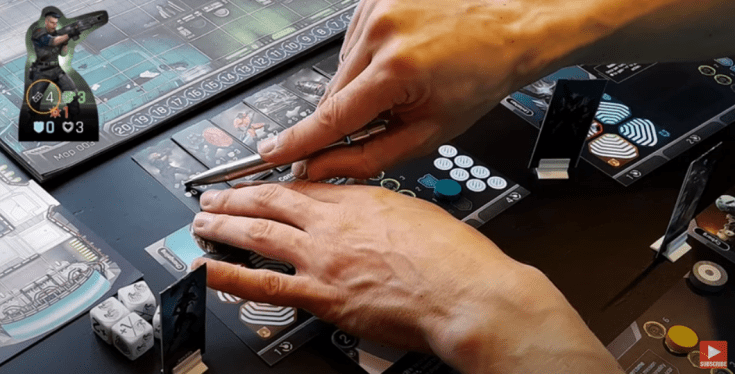
 10:28 – Range. At what range can the enemy attack our character.
 10:39 – Movement. Example: this enemy could move 3 squares (diagonal or orthogonal).
 10:58 – Damage (blockable). This specifies how much damage this enemy will inflict on your character. If this damage is blockable, your character’s shields will deflect damage (1 damage avoided per 1 shield used). When your character has no shields to use, you then must draw a damage card and place it on your cool down track of your Character Sheet.
 11:38 – Unblockable Damage. Shields will not block this kind of damage and you must draw a damage card and place it on your cool down track of your Character Sheet.
 12:11 – Shields. The enemy shield works just like your character’s shields and will block the first portion of damage being inflicted on it by your character. Example: if the enemy has 2 shields, the first 2 of your blockable damage inflicted will be deflected and you must deal at least 3 damage to get 1 damage past the shields. The shields do not deflect or stop any unblockable damage that you inflict on the enemy.
 12:45 – Hit Points. In this example, the enemy has 4 hit points. To defeat this enemy you would have to inflict 4 damage on it (remembering that the first damage gets blocked if it is blockable). It might take two or more of your attack actions to whittle down the enemy hit points to zero at which point it would be defeated and removed from the board.
 13:03 – Evasion. As you play the game, it will explain how this works. When you roll your die, if you roll a shield, the enemy evades your attack.
Enemy Behavior Cards (EBC)
- 13:21 – Enemy Behavior Cards (EBC). These cards specify how the enemy will engage you.
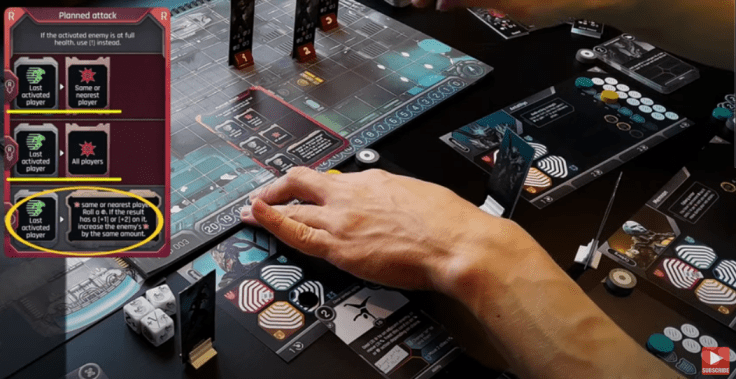
- 13:26 – Top & Bottom Sections. Some of the Enemy Behavior Cards (EBCs) have a third section at the bottom of the card and a description at the top of when that last type of behavior is triggered. Example: if this enemy is at full health, use the bottom behavior section (!) instead of the top two behaviors.
- 14:04 – First Section. This is used by the enemy with the lowest number on it’s base (it’s initiative number). Each enemy stand has a unique initiative number on its base (one sequence for yellow and another sequence for red). Typically, this will be the enemy with a 1 on it’s base. However, once that enemy has been defeated, the enemy with initiative 2 would then be the lowest.
- 14:25 – Second Section. This section is used for the enemy with the 2nd lowest initiative number (or possibly for all enemies other than the one with the lowest initiative number… checking with Emil on this).
Damage Cards
- 14:47 – Damage Cards. When attacked by an enemy, if your shields do not deflect all their incoming damage, you must take a damage card.

- 14:58 – Cool Down Track Spot. The number at the top left specifies what cool down track spot the damage card is to be placed in. Example: if the damage card is to go into slot 2 and there already is a players action card in slot 2, then that action card is returned to the player’s hand and the damage card is placed in slot 2.
- 15:00 – Name of the Card. Each card has a “name”.
- 15:03 – Top Section Damage. This specifies what is to be done when the card is drawn. All players receive the damage listed in this top section.
- 15:08 – Second Section Damage. This is the ongoing effect while the damage card remains in the cool down track. This does not apply to players unless they chose to play at the HARD or INSANE level of difficulty.
- 15:17 – Third Section Damage. This damage is taken when the card is discarded. This only applies to players who chose to play at the INSANE level of difficulty.
Game Board Map
- 15:24 – The Main Map. This, of course, is very important. All actions during the game take place on the map.

- 15:35 – Map Number. The maps are numbered with the map number in the bottom left corner.
- 15:37 – Turn Tracker. Your turns taken during game play are tracked on the turn tracker at the bottom of the map.
- 15:48 – Compass. There is a compass pointing “north” in the bottom right corner for your orientation.
- 15:57 – Walls. You cannot go through a wall (the red lines on the map). You cannot see through a wall (they block your Line Of Sight). There are “some” actions and special abilities that walls do not block. Some maps have diagonal walls. You cannot place a character on the square with a diagonal wall. They block movement and Line Of Sight on either side of the wall. However, Line Of Sight across that diagonal is not blocked (thus you can also shoot along that Line Of Sight as well).
Common Items
- 17:30 – Common Items. There are several common items used in Rogue Angels.
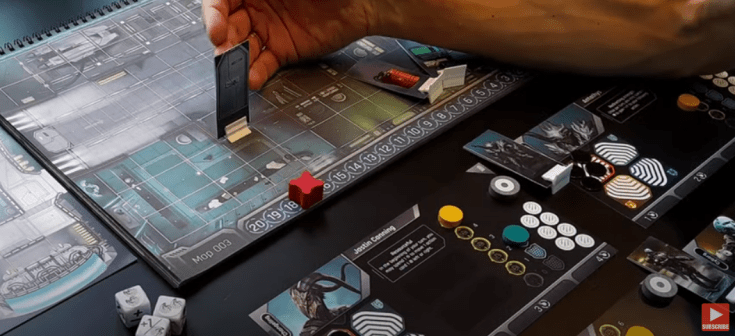
- 17:36 – Doors. Doors act like a wall until they are successfully opened via interaction. To successfully open a door you must have Line Of Sight going through that door. If you character has ability to interact at a distance, you must count the square on the opposite side of the door as well (consider the door as existing on the space “behind” it).
- 18:31 – Consoles. A console can be placed on a square on the map.
- 18:46 – Canisters. Oil barrels / canisters also can be placed on a square on the map. They are fun. They explode! The explosion range is determined by the Mission Brief or Mission Update which will state what radius around the barrel will be affected by the explosion.
Map Setup
- 19:15 Map Setup. How to actually setup the map.

- 19:20 – Mission Layout. The specific map and its layout is shown and explained in the Mission Brief / Mission Layout and in some Mission Updates. The video has a good example of how to use the Campaign Book Mission Layout to place the common items on the game board map.
- 20:31 – Enemy Placement. The Mission Brief / Mission Layout or Mission Update will also instruct you where to place each enemy standee. If more than 2 enemies of any one color (red or yellow) are specified, note that enemies number 3 (and 4) are only placed if there are 3 (or 4) players in the game! This is referred to as “Team Size” abbreviated as TS.
- 21:38 – Hero Placement. Each Mission Layout includes instructions on where to place our heroes! Often (always?) there will be four squares specified and each hero can be placed in any of those allocated squares.
- 21:47 – Enemy Behavior Card. You will be instructed as to which Enemy Behavior Card to use for this mission. In his example, there was none (to start with).
- 21:56 – Time Tracker. The Mission Layout will also specify the turn number to place the red token that keeps track of your turn countdown. This typically (always?) will vary based on how many players are in the game, with more turns allowed if there are more players. Example: (turn limit 9 / 11 / 13) would mean that with 2 players, the token would go on 9, with 3 players it would go on 11, with 4 players it would go on 13.
- 22:13 – Mission Parameters. You will be told what you need to accomplish within the allotted number of turns. In his example, the mission objective is to disable the console. However, it is a room behind two closed doors. Once you interact with a door, the enemy behavior will change. But since your heroes are infiltrating as two disguised teams, only the team that interacts with the door will be revealed (compromised). Interesting gameplay setup!
- 22:46 – Enemy Behavior Card change. In this example, when you first interact with a door, you pull out the Chaotic Attack (Enemy Behavior) card initializing it with the “red” enemies. The next time that it is the enemies turn, the behavior card is flipped to the “yellow” side and only the yellow enemies will move (each time you begin an enemy turn, flip the behavior card so that they alternate between red and yellow).
Conclusion
It is very easy to setup this game. It is easy and fun to play this game. For more on how to actually play the game, watch the How To Play video.
 My Rogue Angels
Leave a comment