
I don’t have any fancy cool graphic editing tool on my Chromebook. So I was happy to use the uncropped Action Card images. Yeah, they had significant extra graphics along all four sides which made everything look smaller when I fit them into a normal card size image. But it was the best I could do with what I had.
Well … I decide that getting the Action Card images full size would be worth paying for an online graphics photo editor called PIXLR. So now I am redoing (yes doing them all over again) all the Action Cards making them full size! You should see the difference! The font size appears to be about 1 or 2 points larger (and of course the icons and images are larger on the card now too).
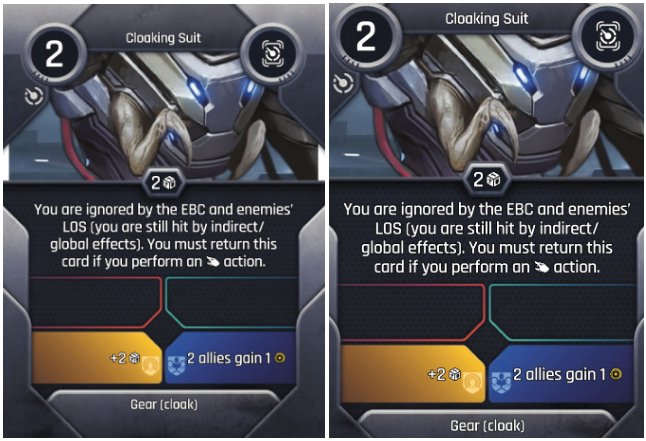
Here is an example showing an original uncropped Action Card and the cropped full size card.
First … the image I received (uncropped):

Next … after I cropped it (just like the cards will get CUT):

And here they are … side by side (easier to see how the one on the right is much easier to read and see the icons):
See more First Looks and Updated Info using this master list (close to two dozen already):
=> Take A Look


Leave a Reply